How to Start a Blog on Wix in 2027: Step-by-Step Guide (with AI)
In this guide
- How to start a blog on Wix: quick steps
- Is Wix good for blogging?
- How much does a Wix blog cost?
- Step 1: Choose your blog niche and name
- Step 2: Create your free Wix account
- Step 3: Build your blog with Wix AI (Wix Harmony and Aria)
- Step 4: Add and set up the Wix Blog
- Step 5: Customize your design and add key pages
- Step 6: Write your first blog post with Wix AI tools
- Step 7: Set up SEO so Google can find your blog
- Step 8: Choose a plan and connect your domain
- Step 9: Publish and promote your blog
- How to make money with a Wix blog
- Wix vs WordPress for blogging
- Common mistakes to avoid on Wix
- Final thoughts
To start a blog on Wix, create a free Wix account, describe your blog to Wix's AI builder so it can design your site, add the Wix Blog, write and publish your first post, then upgrade to a paid plan to connect your own domain. The whole process takes about 30 minutes, and you don't need any technical skills.
Wix changed a lot recently. In 2026 it launched a new AI website builder, Wix Harmony, that builds your site from a simple chat, and Wix's AI blog tools can help you draft posts and SEO settings in minutes. In this guide we'll walk through every step, show you which AI features are worth using, explain what Wix costs, and be honest about when Wix is (and isn't) the right choice for your blog.
Disclosure: Some links below are affiliate links. We may earn a commission at no extra cost to you. Learn more.
How to start a blog on Wix: quick steps
- Choose your niche and blog name. Decide what you'll write about and what to call it.
- Create a free Wix account. Sign up with your email or Google account.
- Build your site with Wix AI. Describe your blog to Aria, Wix's AI assistant, and get a complete design.
- Add and set up the Wix Blog. Add the blog, create categories and choose a layout.
- Customize your design. Add your logo, colors, fonts and key pages.
- Write your first post with Wix AI tools. Generate a draft, then edit it in your own voice.
- Set up SEO. Write titles, meta descriptions and slugs, and connect Google Search Console.
- Pick a plan and connect your domain. Upgrade to remove Wix ads and use your own .com.
- Publish and promote. Share your blog and keep posting consistently.
Ready to build your blog? Create your free Wix account and let AI design your site in minutes.
Start Your Wix Blog Free →Is Wix good for blogging?
Yes, for the right person. Wix is one of the easiest ways to get a good-looking blog online fast. Hosting, security, backups and updates are all handled for you, so you can focus on writing. It's especially good if your blog is part of a small business website, a portfolio or a personal brand.
👍 Pros
- Very beginner friendly, no coding or plugins to manage
- Strong AI tools for building your site and writing posts
- Hosting, SSL and security included
- Free plan to test your idea
- Free domain for the first year on paid plans
- Built-in SEO tools, email marketing and online store options
👎 Cons
- You can't move your site to another host later
- Fewer ways to make money than WordPress
- Free plan shows Wix ads and a wixsite.com address
- Monthly cost is higher than basic WordPress hosting
- Fewer advanced blogging features for large content sites
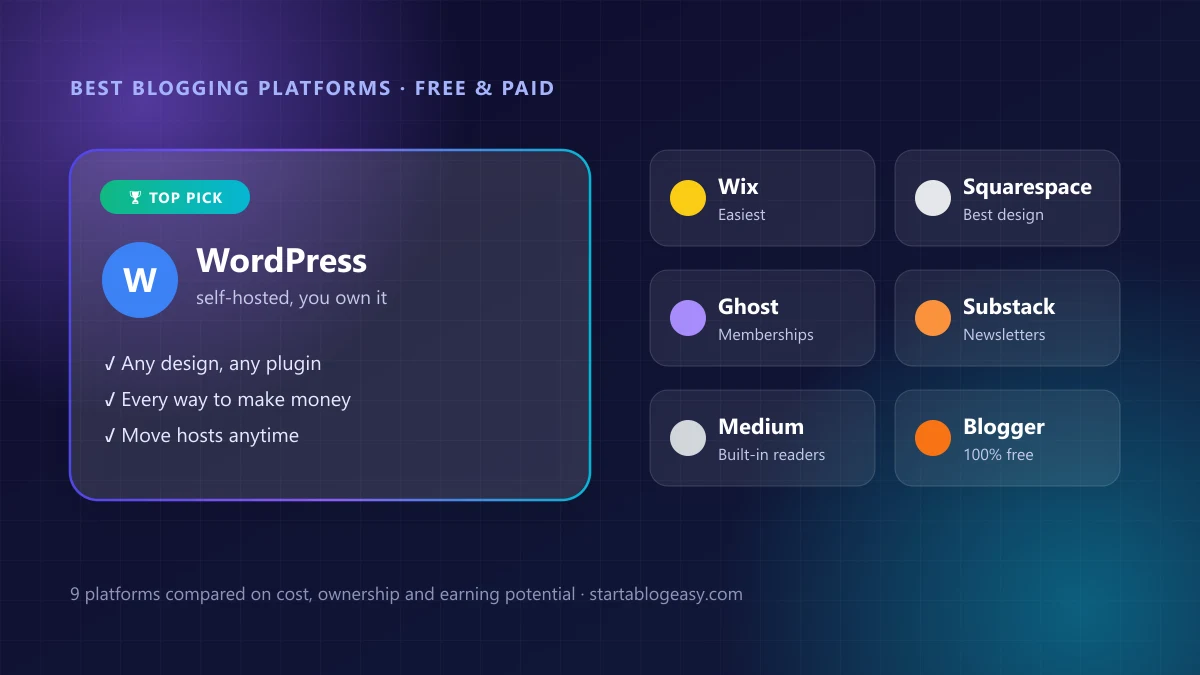
If you're still comparing options, our best blogging platform guide compares Wix with WordPress, Squarespace, Ghost, Substack and more.
How much does a Wix blog cost?
You can start for free and upgrade when you're ready. Here's what Wix's main plans cost:
| Plan | Price* | Own domain | Wix ads removed | Best for |
|---|---|---|---|---|
| Free | $0 | ❌ wixsite.com address | ❌ No | Testing your idea |
| Light | ~$17/mo | ✅ Free for year 1 | ✅ Yes | Most new blogs |
| Core | ~$29/mo | ✅ Free for year 1 | ✅ Yes | Blogs that sell products or memberships |
| Business | ~$39/mo | ✅ Free for year 1 | ✅ Yes | Growing businesses with a store |
*Approximate prices with yearly billing as of November 2026, before tax. Wix prices vary by country and change often, so check the current price on Wix before you sign up.
Tip: Start on the free plan while you build your site and write your first few posts. Upgrade to Light right before you launch so your free domain year starts when you actually need it.
Step 1: Choose your blog niche and name
Before you touch Wix, decide what you'll write about and who it's for. A specific niche ("easy weeknight meals for busy parents") is easier to grow than a broad one ("food"). Our guide to choosing a profitable blog niche walks you through it with AI prompts.
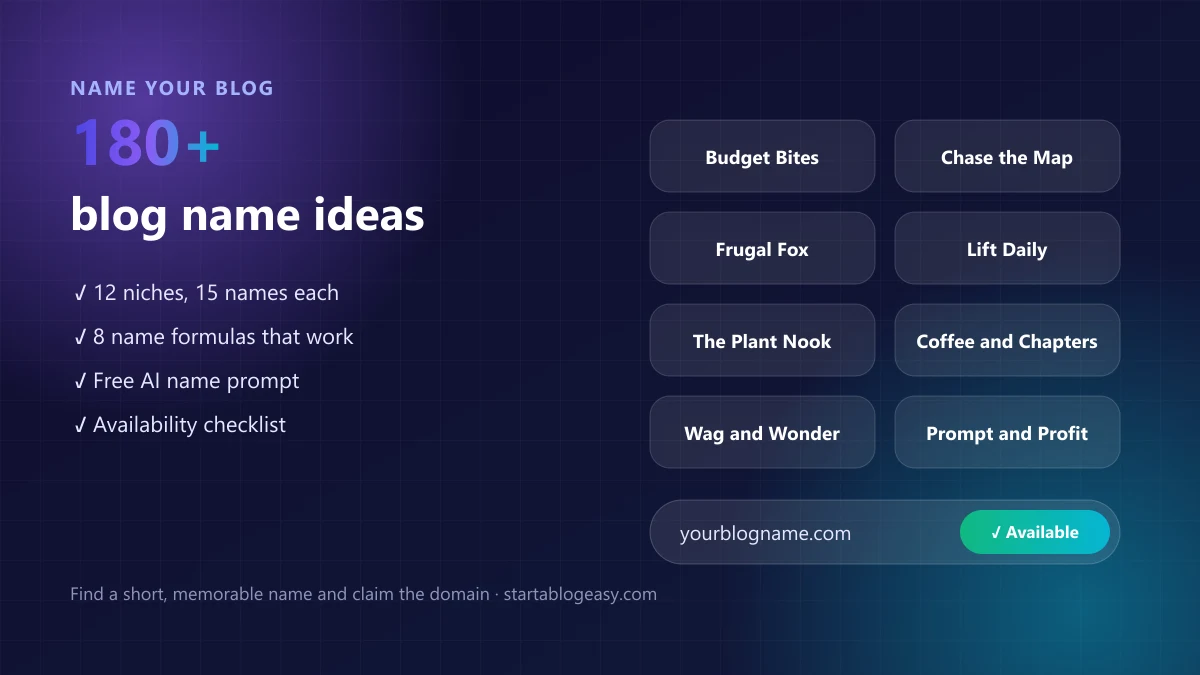
Next, pick a short, memorable name that's easy to spell. Need inspiration? Browse our 180+ blog name ideas, sorted by niche, plus formulas to create your own.
Step 2: Create your free Wix account
Go to Wix.com and click Get Started. Sign up with your email address, Google, Facebook or Apple account. Wix will ask a few quick questions about what kind of site you're creating. Choose Blog so Wix sets you up with the right features from the start.
Step 3: Build your blog with Wix AI (Wix Harmony and Aria)
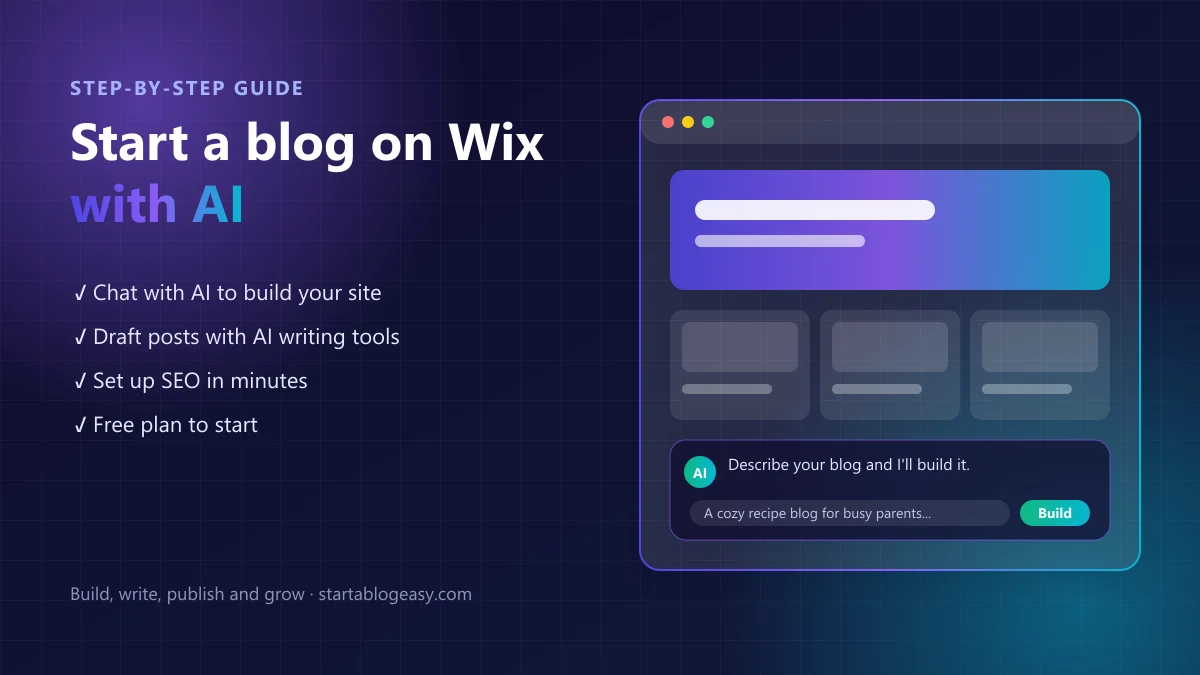
In January 2026, Wix launched Wix Harmony, its new AI website builder. Instead of starting from a blank template, you chat with Aria, Wix's AI assistant. You describe your blog in plain English, and Aria builds a complete site with pages, layout, colors, text and images.
What makes Harmony useful for beginners is that you're never stuck with what the AI makes. You can keep asking Aria for changes ("make the header darker", "add a newsletter signup") or switch to the visual editor and drag things around yourself. Harmony is included on all Wix plans, including the free one.
The more detail you give, the better your first draft. Here's a prompt you can paste into the chat:
Build a blog called [blog name] about [niche] for [target reader]. The tone should be [friendly / professional / playful]. I want a clean, easy-to-read design with [colors or style you like]. Include a homepage that shows my latest posts, an About page, a Contact page and a newsletter signup. My main goal is to [grow an email list / promote my services / earn affiliate income].
Tip: Prefer to choose a design yourself? Wix also has hundreds of free blog templates. Search "blog" in the template gallery and pick one with a layout you like. You can still use AI tools afterward.
Step 4: Add and set up the Wix Blog
If you chose "Blog" during signup, Wix usually adds the blog for you. If not, open the editor, click Add Apps, search for Wix Blog and add it. This creates a blog page and a Blog section in your dashboard where you'll manage posts.
Then take a few minutes to set it up:
- Create categories. Add 3 to 5 main topics, such as "Recipes", "Meal Prep" and "Kitchen Tips". Categories help readers find posts and help Google understand your site.
- Choose a blog layout. Pick how posts appear on your blog page (grid, list or magazine style). Show a featured image, title and short excerpt for each post.
- Set up your author profile. Add your photo and a short bio. Readers and Google both trust content more when they can see who wrote it.
- Turn on comments and social sharing if you want readers to engage with your posts.
Step 5: Customize your design and add key pages
Now make the site feel like yours:
- Logo: Upload your own or create one with the Wix Logo Maker. A free tool like Canva also works well.
- Colors and fonts: Stick to 2 or 3 colors and 1 or 2 easy-to-read fonts. Readability matters more than fancy design.
- Mobile view: Check how your site looks on a phone using the mobile preview. Most of your readers will visit on mobile.
Every blog should have these pages:
- About: Who you are, who the blog is for and why readers should trust you.
- Contact: A simple form or email address.
- Privacy policy: Required if you collect emails or use analytics. Wix offers a privacy policy template to start from.
- Affiliate disclosure: Needed if you use affiliate links.
Step 6: Write your first blog post with Wix AI tools
Wix has AI writing tools built right into the Wix Blog. From your dashboard, go to Blog, create a new post and open the AI tools option. You tell the AI your topic, the tone you want, a rough word count and any keywords to include. It suggests several titles, and once you pick one it writes a complete first draft with headings. Wix can also suggest future post ideas based on what you've already published, generate images, and write SEO titles and meta descriptions for you. (Menu names change from time to time, so look for "AI" in the post editor if you don't see it right away.)
Wix AI features for bloggers
| AI feature | What it does | Best used for |
|---|---|---|
| Wix Harmony + Aria | Builds and edits your whole site through chat | Launching your blog fast |
| AI blog post generator | Writes a full draft from your topic, tone and length | Beating the blank page |
| AI title and topic ideas | Suggests titles and new post ideas | Planning your content calendar |
| AI text creator | Rewrites, shortens or expands any paragraph | Polishing intros and sections |
| AI image tools | Generates images and edits photos (like removing backgrounds) | Featured images and graphics |
| AI SEO meta tags | Writes SEO titles and meta descriptions | Faster on-page SEO |
How to use AI without hurting your Google rankings
Google doesn't penalize content just because AI helped write it. It penalizes content that is unhelpful, generic or made only to rank. AI drafts tend to sound like everyone else's, so treat them as a starting point:
- Add your own experience. Real examples, mistakes you made, photos you took and results you got. This is what AI can't copy.
- Check every fact. AI tools can get prices, dates and details wrong.
- Rewrite in your voice. Read it out loud. If it doesn't sound like you, change it.
- Answer the question early. Put a clear, direct answer near the top. This helps both readers and AI search tools like Google's AI Overviews pick up your content.
- Cut the filler. Shorter and more useful beats longer and padded.
Want a deeper walkthrough? See our guide on how to write a blog post with AI, and find out how long a blog post should be for SEO. If you want more powerful AI writing help than Wix's built-in tools, our ChatGPT vs Claude vs Gemini comparison shows which assistant writes best.
Step 7: Set up SEO so Google can find your blog
Wix takes care of the technical SEO basics automatically, including a sitemap, SSL and mobile-friendly pages. Your job is to get these settings right for each post:
- SEO title: Include your main keyword and keep it under about 60 characters.
- Meta description: A 1 to 2 sentence summary (about 150 characters) that makes people want to click.
- URL slug: Short and descriptive, like
/post/easy-weeknight-pasta. Learn more in our guide to what a URL is and its parts. - Headings: Use H2 and H3 headings that match the questions readers are asking.
- Image alt text: Describe each image in a few words.
- Internal links: Link each new post to 2 or 3 related posts on your blog.
Next, open the SEO section of your Wix dashboard and follow the setup checklist. It walks you through connecting Google Search Console so Google knows your site exists. For the full process, see how to submit your blog to Google.
Get found in AI search too. Tools like ChatGPT, Gemini and Google's AI Overviews favor pages that answer questions clearly. Use question-style headings ("How much does X cost?"), answer in the first sentence below them, add a short FAQ section, and keep your posts updated with the current year's information. Learn more in our guide on how to rank on ChatGPT and AI search.
Step 8: Choose a plan and connect your domain
When your site looks good and you have a few posts ready, upgrade from the free plan. For most new blogs, the Light plan is enough. It removes Wix ads and lets you connect your own domain, which is free for the first year on yearly paid plans.
To connect a domain, go to Settings > Domains in your dashboard after upgrading. You can claim your free domain there or connect one you already own. Choose Core or higher if you plan to sell products, digital downloads or paid memberships.
Get your own domain free for a year. Upgrade to a Wix paid plan and launch your blog professionally.
See Wix Plans →Step 9: Publish and promote your blog
Hit Publish, and your blog is live. Now the real work begins: getting readers.
- Publish consistently. One great post a week beats five rushed posts followed by silence.
- Target easy keywords. Answer specific questions your readers search for.
- Use Pinterest and social media. Share every post where your audience spends time.
- Build an email list from day one. Wix has built-in email marketing, so you can send new posts to subscribers.
For a complete plan, read how to drive traffic to your blog.
How to make money with a Wix blog
Once you have regular readers, you can start earning. These methods work well on Wix:
- Affiliate marketing: Recommend products you use and earn a commission on each sale. This is the easiest place to start.
- Paid members-only posts: Use Wix Pricing Plans to put premium posts behind a subscription.
- Digital products: Sell ebooks, templates, printables or courses directly from your site.
- Services: Use your blog to attract clients for coaching, consulting or freelance work, with Wix Bookings for scheduling.
- Sponsored posts: Brands pay you to feature their products once your audience grows.
Display ads are harder to set up on Wix than on WordPress, and premium ad networks usually prefer WordPress sites. See more ideas in our guide on how to make money blogging.
Wix vs WordPress for blogging
This is the biggest decision you'll make, so here's an honest comparison:
| Wix | WordPress + Bluehost | |
|---|---|---|
| Ease of use | ✅ Easiest | ⚠️ Easy, with a short learning curve |
| AI site builder | ✅ Wix Harmony | ✅ Bluehost WordPress AI Builder |
| Starting price* | ~$17/mo | ~$3.99/mo (intro price) |
| Free domain year 1 | ✅ Yes | ✅ Yes |
| Ways to make money | ⚠️ Good | ✅ Every method |
| Plugins and extensions | ⚠️ Wix App Market | ✅ 60,000+ plugins |
| Move to another host | ❌ No | ✅ Anytime |
| Maintenance | ✅ None | ⚠️ Occasional updates |
*Approximate prices as of November 2026. Bluehost's intro price applies to longer terms and renews at a higher rate.
Choose Wix if you want the simplest setup, your blog supports a business or personal brand, and you never want to think about hosting or updates.
Choose WordPress if blogging is your main business, you want to make money every possible way, or you want full ownership of your site. Bluehost's AI builder gives you a similar AI setup experience, on WordPress. See our Bluehost AI website builder review or follow our WordPress setup guide.
Still comparing AI builders? Our best AI website builders roundup covers Wix, Bluehost, Hostinger, Squarespace and more.
Common mistakes to avoid on Wix
- Publishing AI drafts as they are. Generic content rarely ranks. Always add your own experience and edits.
- Staying on the free plan too long. A wixsite.com address and Wix ads make it harder for readers to trust your blog.
- Skipping SEO settings. Spend 2 minutes on the title, description and slug of every post.
- Over-designing. Too many fonts, animations and colors slow your site down and distract readers.
- Not checking mobile view. Something that looks perfect on desktop can break on a phone.
- Picking Wix when you plan a huge money blog. If you know you'll want ad networks and full control, start on WordPress to avoid a painful move later.
Final thoughts
Starting a blog on Wix has never been easier. With Wix Harmony building your site and AI tools helping you draft posts, you can go from idea to published blog in an afternoon. Keep your niche focused, edit every AI draft until it sounds like you, get the SEO basics right, and publish consistently. That's what actually grows a blog, on any platform.
Your blog is one chat away. Create a free Wix account and let Aria build your site today.
Start Your Wix Blog Free →Frequently asked questions
Can I start a blog on Wix for free?
Yes. Wix has a free plan that includes the Wix Blog and the Wix Harmony AI builder. The trade-offs are Wix ads on every page, a yourname.wixsite.com address and limited storage. To use your own domain and remove ads you need a paid plan, which starts at about $17 per month billed yearly.
Is Wix good for blogging?
Wix is good for beginners, business owners and anyone who wants a blog without technical setup. It is easy to use, has strong AI tools and handles hosting and security for you. It is less suited to large, money-focused blogs because you cannot move your site to another host and monetization options are more limited than WordPress.
How much does it cost to start a blog on Wix?
You can start for $0 on the free plan. A professional Wix blog with your own domain and no ads costs about $17 per month on the Light plan billed yearly, or around $204 for the first year, with the domain free for year one. Prices vary by region, so check Wix before you buy.
Does Wix have AI tools for blogging?
Yes. Wix Harmony and its AI assistant Aria can build your whole site from a description. Inside the Wix Blog, AI tools can suggest post ideas and titles, write full first drafts based on your topic, tone and length, generate images and create SEO titles and meta descriptions.
Can you make money with a Wix blog?
Yes. Wix bloggers make money with affiliate links, paid members-only posts, selling digital or physical products, and promoting their own services. Display ad networks are harder to use on Wix than on WordPress, so most Wix bloggers focus on affiliates, products and services.
Is Wix or WordPress better for a blog?
Wix is easier and faster to set up, and everything is included in one monthly price. Self-hosted WordPress takes slightly more setup but gives you full ownership, unlimited plugins, more ways to make money and the freedom to move hosts. Choose Wix for simplicity, and WordPress if blogging is your main business.
Is Wix good for SEO?
Yes, Wix handles the technical basics well. It gives you editable SEO titles, meta descriptions, URL slugs and image alt text, creates a sitemap automatically and lets you connect Google Search Console. Your rankings will depend far more on how useful your content is than on the platform.
Can I move my Wix blog to WordPress later?
You can move your posts with some effort, but you cannot export your Wix design or move the site to another host. Moving means rebuilding the site on the new platform and setting up redirects. That is why it is worth deciding on the right platform before you start.